
Most “best camera” articles throw 10 products at you in a ranked list and call it a day. You end up more confused than when you started, and no closer to actually buying anything.
The problem is they skip the most important question: what type of camera do you actually need?
Because before you even think about brands and specs, there are two fundamentally different kinds of cameras that beginners buy for YouTube. Choosing the wrong type is a more expensive mistake than choosing the wrong brand – and nobody talks about this clearly.
This guide fixes that. We’ll walk you through the difference, then give you the best options in each category based on what the major review sites are actually saying in 2026.
Gimbal camera or mirrorless camera – which do you actually need?
This is the real decision. Everything else – Sony vs Canon, 4K vs 1080p – is secondary to getting this right.
Gimbal cameras
A gimbal camera is an all-in-one device with a built-in mechanical stabiliser. The camera physically moves on a tiny motorised arm to counteract your hand movement, which means your footage stays smooth even when you’re walking, talking and holding the camera at arm’s length.
The DJI Osmo Pocket 3 is the best example. It literally fits in your jacket pocket, powers up in seconds, and produces footage that looks like it was shot on a rig costing ten times as much. There’s no setup, no learning curve – you just point it at yourself and press record.
This type of camera is the right choice if you film on the move. Travel vlogs, day-in-my-life content, street interviews, anything where you’re walking and talking. The one thing to know going in: the lens is fixed. You can’t change it or upgrade it later. That’s fine for most beginners but worth knowing upfront.
Mirrorless cameras
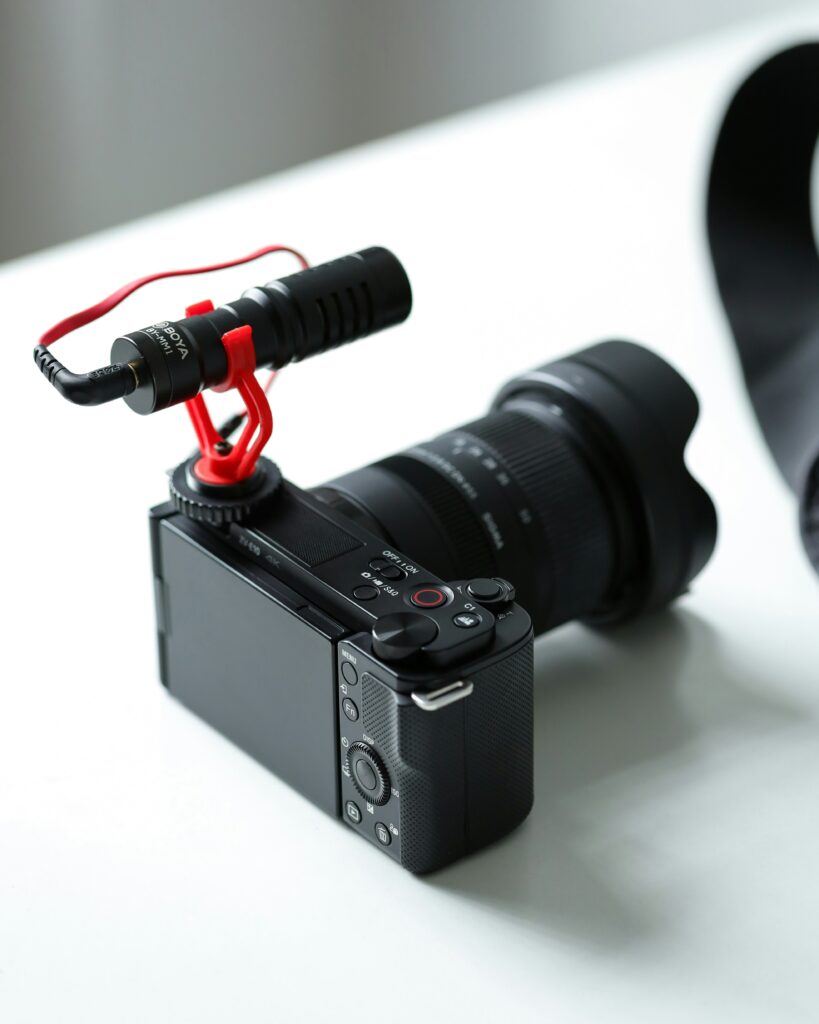
A mirrorless camera is a more traditional camera body that takes interchangeable lenses. Bigger sensor, more creative control, and a lot more flexibility as your channel grows – but also more to carry, more to learn, and a higher upfront cost once you factor in a lens.
The Sony ZV-E10 and Canon EOS R50 V are the best beginner examples. They’re compact as mirrorless cameras go, but they’re still notably bigger and heavier than a gimbal camera. If you’re filming yourself at a desk, in a home studio, or doing talking-head content in a fixed spot, this is almost certainly the better choice.
One important thing to know about mirrorless cameras: the body is sold separately from the lens in most cases. We’ve included a recommended lens for each mirrorless camera below so you know exactly what to buy and how much to budget for.
The right camera comes down to one question: where are you going to be filming most of the time? If the answer is on the move, get a gimbal camera. If the answer is in one place, get a mirrorless.
The best cameras for YouTube beginners in 2026
Best gimbal camera
1. DJI Osmo Pocket 3
Price: ~$439 | Check current price on Amazon
Best for: travel vloggers, daily vloggers, anyone who films on the move
Amateur Photographer named this their best vlogging camera overall in 2026. TechRadar’s reviewer uses it personally to film their own social content. DPReview calls it the best camera for on-the-move vlogging. That level of consistent recommendation across independent publications doesn’t happen by accident.
The reason everyone keeps coming back to it is simple: the Osmo Pocket 3 does the hardest part of vlogging for you. The built-in 3-axis mechanical gimbal physically stabilises every shot, so your footage looks smooth even when you’re walking quickly, gesturing with your hands, or filming completely one-handed. No other camera at this price gets close to that without buying a separate gimbal accessory on top.
The 1-inch sensor handles low light noticeably better than you’d expect from a pocket device. Face tracking keeps you centred in the frame automatically as you move around. It shoots 4K at up to 120fps, handles both horizontal and vertical video natively, and the whole thing fits in a jacket pocket. The best camera is the one you actually carry with you – and you will always have this one with you.
No lens needed – the Osmo Pocket 3 has a fixed built-in lens. Everything is included in the box.
What we like
- Built-in 3-axis gimbal
- Genuinely pocket-sized
- Excellent face tracking for solo filming
- 4K/120fps
- No overheating or recording time limits
Worth knowing
- Fixed lens – can’t be changed later
- Smaller screen than a mirrorless
- Less suited to desk-based content
Best mirrorless cameras
2. Canon EOS R50 V
Body price: ~$649 | Check current price on Amazon
Best for: desk-based content, tutorials, talking-head videos, creators who want room to grow
Canon built the R50 V specifically for video creators, and every design decision reflects that. They removed the electronic viewfinder because you don’t need one for YouTube. They added a record button on the front of the camera so you can start filming without awkwardly reaching around to the top. There’s a tally lamp on the front that lights up red when you’re recording. The mode dial has seven video settings and one for stills. This is a camera that was genuinely thought through for the exact use case you have.
The 24MP APS-C sensor delivers 4K video at up to 60fps. Canon Log 3 support gives you more flexibility when editing and grading footage. The Dual Pixel CMOS AF II autofocus covers 100% of the frame and tracks faces and eyes reliably – in real-world use it locks on and stays locked, which is exactly what you need when you’re presenting to camera on your own.
No Film School compared it directly to the Sony ZV-E10 II and called them “remarkably similar cameras for practically all purposes” – yet the R50 V costs $350 less. That saving could go towards a proper microphone, a decent light, or a better lens. For a beginner just starting out, that matters a lot.
Recommended lens: the Canon RF-S 18-45mm f/4.5-6.3 IS STM (~$300). Wide enough for vlogging, built-in image stabilisation, and Canon’s own kit lens designed specifically for RF-S mount cameras including the R50 V. Budget around $950 total for body and lens together.
What we like
- Purpose-built for video creators
- Front record button and tally lamp
- Reliable Dual Pixel autofocus
- Canon Log 3 for colour grading
- $350 cheaper than the ZV-E10 II
Worth knowing
- No in-body image stabilisation
- Smaller RF-S lens ecosystem than Sony
- Not ideal for photography
3. Sony ZV-E10
Body price: ~$550 | Check current price on Amazon
Best for: beginners on a tighter budget who still want a mirrorless camera
The Sony ZV-E10 came out in 2021 and it’s still appearing on best-of lists in 2026. Engadget recommended it for creators this year. That kind of longevity tells you something – this camera was built right from the start.
Sony designed it specifically for content creators rather than photographers who also happen to shoot video. There’s a Background Defocus button that blurs your background with a single press. Product Showcase mode automatically shifts focus from your face to objects you hold up to the camera, which is genuinely useful if you do reviews or tutorials. The built-in directional microphone is solid and comes with a wind screen. The flip-out screen is large and properly usable for self-filming.
It takes Sony E-mount lenses – the biggest and most affordable third-party lens ecosystem available. When you’re ready to upgrade your glass down the line, you’ll have more options at lower prices than with any other camera system.
Recommended lens: the Sony E 20mm f/2.8 (~$275). A compact wide-angle pancake lens that barely adds any size or weight to the camera body. It’s officially listed as compatible with the ZV-E10 on Sony’s own compatibility page, and at 20mm it gives you a natural wide field of view for vlogging at arm’s length. Budget around $825 total for body and lens together.
What we like
- Great value for money
- Background Defocus and Product Showcase modes
- Sony E-mount – huge affordable lens ecosystem
- Solid built-in directional microphone
- Large flip-out screen
Worth knowing
- 8-bit video only
- 4K has a 1.5x crop factor
- Older sensor than the ZV-E10 II
4. Sony ZV-E10 II
Body price: ~$999 | Check current price on Amazon
Best for: creators who are committed from day one and don’t want to upgrade again in 12 months
Amateur Photographer named this their best mid-range 4K vlogging camera in 2026. It shows up on nearly every major review site’s recommended list. If you want the most capable beginner-friendly mirrorless camera available right now without spending over $1,000, this is it.
The upgrade from the original ZV-E10 is substantial. The 26MP BSI sensor shoots 4K at up to 60fps with no crop. The autofocus uses 759 phase-detection points and is noticeably faster and more accurate. Battery life is considerably better. And it shoots 10-bit 4:2:2 video, which gives you real flexibility when colour grading – something 8-bit cameras simply can’t match.
The built-in three-capsule directional microphone is the best of any camera on this list. Auto-Framing mode tracks you as you move around even when the camera is stationary on a tripod – essentially a virtual camera operator. For solo creators, that genuinely changes how you can shoot.
Recommended lens: the Sony E PZ 16-50mm f/3.5-5.6 OSS (~$350). The official Sony kit lens for the ZV series – power zoom, built-in optical stabilisation, and compact enough to keep the whole setup portable. Budget around $1,350 total for body and lens together.
What we like
- 4K/60fps with no crop
- 759-point phase-detection autofocus
- 10-bit 4:2:2 video
- Best built-in microphone on this list
- Auto-Framing mode
Worth knowing
- ~$999 is a serious investment
- No in-body image stabilisation
- Sony menus have a learning curve
Quick comparison
| Camera | Type | Body price | Recommended lens | Total budget |
|---|---|---|---|---|
| DJI Osmo Pocket 3 | Gimbal | ~$439 | None needed | ~$439 |
| Canon EOS R50 V | Mirrorless | ~$649 | RF-S 18-45mm (~$300) | ~$950 |
| Sony ZV-E10 | Mirrorless | ~$550 | E 20mm f/2.8 (~$275) | ~$825 |
| Sony ZV-E10 II | Mirrorless | ~$999 | E PZ 16-50mm (~$350) | ~$1,350 |
What actually matters in a beginner YouTube camera
A flip screen. You need to be able to see yourself while you’re filming. Without a screen that faces you, you’re guessing at your framing for every single shot. Every camera on this list has one.
Reliable autofocus. Bad autofocus ruins footage in a way that’s hard to fix in editing. You’re mid-sentence and the camera drifts focus to the bookshelf behind you. Every camera here uses face-tracking autofocus that locks onto you and stays there.
Decent audio. Your viewers will happily watch slightly soft or slightly shaky video – but they will click away from bad audio within the first 10 seconds. Either choose a camera with a good built-in directional microphone, or budget for an external mic alongside whatever camera you pick.
Some form of stabilisation. For desk content, a tripod solves this completely. For moving shots, you need built-in optical stabilisation, a separate gimbal, or a gimbal camera like the Pocket 3.
Frequently asked questions
What camera do most YouTubers use?
Most beginner and intermediate YouTubers use mirrorless cameras from Sony and Canon. The Sony ZV-E10 and Canon EOS R50 are among the most popular starting points. For creators who prioritise portability, the DJI Osmo Pocket 3 is currently one of the most widely recommended YouTube cameras overall – Amateur Photographer and TechRadar both named it their top overall pick in 2026.
What is a good starter camera for YouTube?
It depends on your content style. If you film on the move, the DJI Osmo Pocket 3 at around $439 is the best starting point. If you film at a desk or in a fixed setup, the Canon EOS R50 V at around $649 body only is the strongest beginner mirrorless you can buy right now – pair it with the Canon RF-S 18-45mm lens and you’re set for around $950 total.
Do I need to buy a lens separately?
If you buy a mirrorless camera body only, yes. We’ve recommended one lens for each mirrorless camera in this guide with the total budget included so there are no surprises. The DJI Osmo Pocket 3 has a fixed built-in lens so nothing extra is needed.
Do I need 4K for YouTube?
Not strictly – 1080p is perfectly watchable and plenty of successful channels still use it. But most cameras in 2026 shoot 4K as standard, and filming in 4K gives you useful flexibility when editing. It’s worth having even if you export in 1080p.
Can I start YouTube with my phone?
Absolutely. If you’re still figuring out whether YouTube is something you want to commit to, start with your phone. Only upgrade to a dedicated camera once you’re filming consistently and starting to hit real limitations.
What is the difference between a gimbal camera and a mirrorless camera?
A gimbal camera like the DJI Osmo Pocket 3 has a built-in mechanical stabiliser and a fixed lens. It’s simpler, smaller, and produces smoother footage when moving. A mirrorless camera like the Canon R50 V or Sony ZV-E10 has interchangeable lenses, more creative control, and is better for static setups – but bigger and more complex to get started with.
What is the best cheap camera for YouTube beginners?
The DJI Osmo Pocket 3 at around $439 gives you the best value of any dedicated YouTube camera right now. If you specifically want a mirrorless, the Sony ZV-E10 paired with the Sony E 20mm f/2.8 lens comes to around $825 total and is the most affordable mirrorless setup that still holds up in 2026.
Our verdict
If you film on the move: get the DJI Osmo Pocket 3. Most consistently recommended YouTube camera of 2026, fits in your pocket, footage looks more expensive than the price tag suggests. No lens needed.
If you film at a desk or in a fixed setup: get the Canon EOS R50 V plus the Canon RF-S 18-45mm lens. Built specifically for video creators, beginner-friendly, and around $950 all in.
On a tighter budget but still want mirrorless: the Sony ZV-E10 paired with the Sony E 20mm f/2.8 lens comes to around $825 and remains a solid setup in 2026.
Committed from day one and want to buy once: the Sony ZV-E10 II with the Sony E PZ 16-50mm lens. Around $1,350 total and the setup you won’t outgrow.
Stop researching. Pick one. Start filming.
Disclosure: CreatorCarry participates in the Amazon Associates Programme and other affiliate programmes. If you purchase through our links we may earn a small commission at no extra cost to you. This never influences our recommendations.