
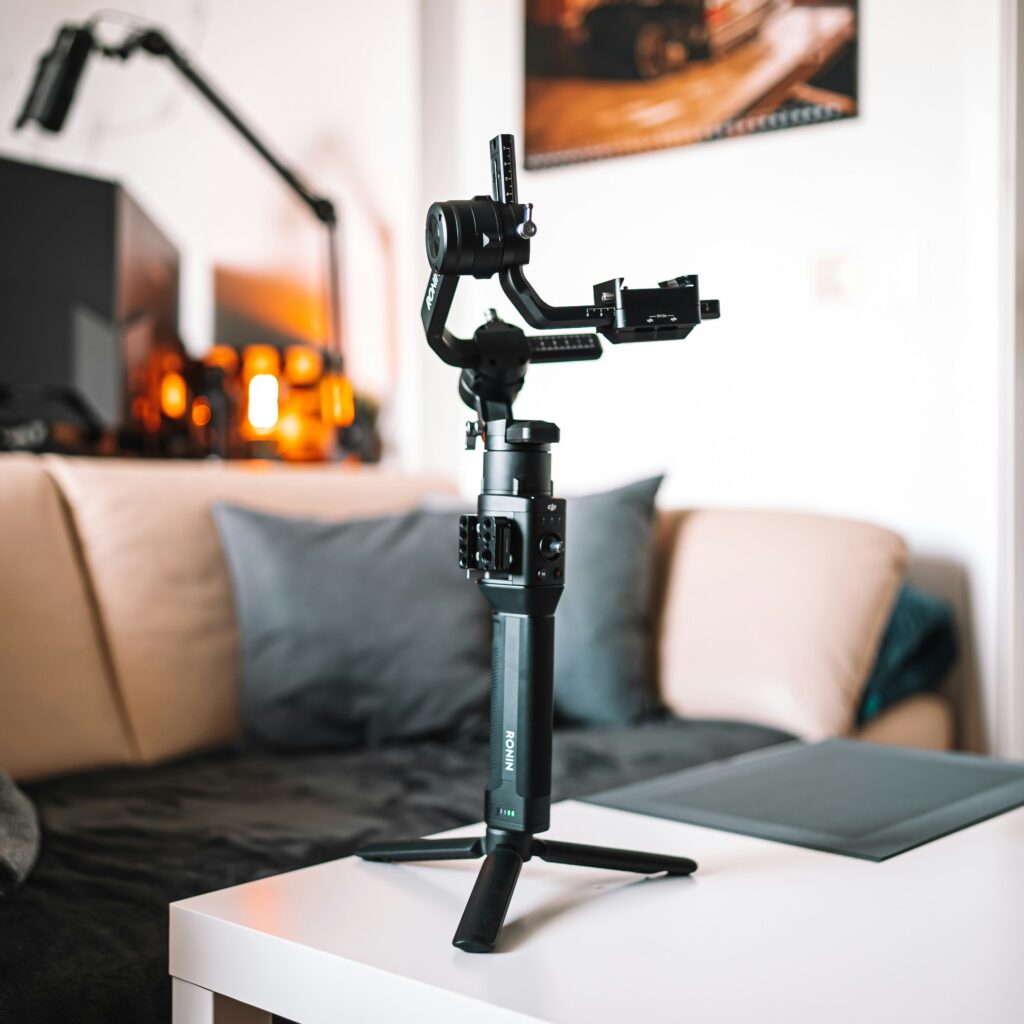
Best Gimbal for Vlogging (2026): 4 Picks for Phone, Camera and Every Budget
Most gimbal guides do one of two things. They give you a list of phone gimbals and ignore camera gimbals entirely, or they go the other way and talk about mirrorless stabilisers without mentioning smartphones at all. If you’re a beginner trying to figure out what to actually buy, neither of these helps.
Here’s the real question you need to answer before you spend anything: what are you already filming on? Because the right gimbal for a phone is completely different to the right gimbal for a mirrorless camera, and the wrong one ends up in a drawer.
This guide covers both. We’ve also included one option that sidesteps the question entirely, for anyone who wants smooth footage without the faff of a separate gimbal at all. Four picks, every setup covered.
Which type of gimbal do you actually need?
Before you look at any product, answer this honestly:
Filming on your phone? You need a smartphone gimbal. These hold your phone on a motorised arm and smooth out your movement while you walk, vlog and film. They fold down small, set up in seconds, and most work with any iPhone or Android. The DJI Osmo Mobile 8 and Zhiyun Smooth Q5 are the two worth knowing.
Filming on a mirrorless camera? You need a camera gimbal. These are heavier, require a bit of balancing when you first set them up, and cost more. But they’ll handle the likes of a Sony ZV-E10 or Canon R50 V and produce genuinely cinematic footage. The DJI RS 4 Mini is the one built for your level.
Not sure, or want the simplest possible option? The DJI Osmo Pocket 3 skips the question completely. It’s an all-in-one camera with a built-in 3-axis gimbal that fits in a jacket pocket. You pull it out, press record, and it handles the stabilisation automatically. No phone needed, no balancing required.
The best gimbals for vlogging in 2026
1. DJI Osmo Mobile 8
Price: ~$126 | Check price on Amazon
Best for: phone filmers who want smooth footage, smart tracking and a proper all-rounder
Most beginners are already filming on their phone. If that’s you, the DJI Osmo Mobile 8 is the smartest way to level up your footage without switching to a dedicated camera.
TechRadar called it “an impressive, well-designed smartphone stabilizer that content creators looking to shoot smooth, stable footage should consider,” and Digital Camera World named it their top pick for novices in their 2026 smartphone gimbal roundup. That level of consistent recommendation across independent reviewers tells you something.
The headline upgrade in the Mobile 8 is 360-degree pan rotation, meaning it can track you as you walk a complete circle around it without hitting a limit and jerking back. Previous DJI gimbals had a restricted pan range that could interrupt tracking during longer shots. That’s now gone. The gimbal also supports Apple DockKit, which lets it track you across over 200 iOS apps including the native Camera app, Blackmagic Camera, and Instagram, rather than being locked to the DJI Mimo app.
Setup is genuinely fast. You snap your phone into the magnetic clamp, unfold the gimbal, and it auto-balances. No manual adjustments, no balancing dance. Battery runs to around 10 hours and the gimbal doubles as a phone charger while you shoot. The optional Multifunctional Module adds a fill light and wireless microphone receiver for DJI Mics, which turns this into a fairly complete solo filming rig.
Note: the Osmo Mobile 8 is primarily sold outside the US through official channels, but is available through some US Amazon listings. Check the link for current availability in your region.
What we like
- 360-degree pan tracking eliminates the rotation limit of previous models
- Apple DockKit support means tracking works in almost any app
- Snaps together in seconds, no balancing required
- 10-hour battery with phone charging built in
- Compact enough to carry in a coat pocket
Worth knowing
- Multifunctional Module (fill light and tracking) is an optional extra
- Some advanced features are iPhone-only via DockKit
- 300g phone weight limit means very large phones may need counterweights
2. DJI Osmo Pocket 3 Creator Combo
Price: ~$569 | Check price on Amazon
Best for: creators who want the smoothest possible footage with the least possible faff
If the idea of attaching your phone to a gimbal sounds fiddly, the Osmo Pocket 3 is worth knowing about. It’s a complete camera with a built-in 3-axis gimbal that fits in a jacket pocket. There’s no phone, no mounting, no balancing. You pull it out, press record, and the stabilisation is already working.
TechRadar describe it as “lighter, more compact, better balanced and much faster to deploy than a phone gimbal” and note that the ActiveTrack 6.0 face-tracking “works superbly for keeping yourself centred in the frame during vlog recordings.” Amateur Photographer named it their best vlogging camera overall in 2026, and it’s the camera we cover in full in our Best Camera for YouTube Beginners guide if you want the complete breakdown.
The 1-inch sensor is the key spec here. It handles low light noticeably better than a phone, and the 4K footage at up to 120fps holds up well even in tricky conditions. The 2-inch OLED screen flips out so you can see yourself while filming, and it shoots vertical video natively for Reels and Shorts without any crop.
The Creator Combo is the version worth buying. It adds the Mini Control Stick for wireless control, extra ND filters for outdoor shooting, and a carrying case. If you’re buying the Pocket 3, the Combo is the sensible starting point.
The one tradeoff to know upfront: the lens is fixed. You can’t change it, upgrade it, or swap it for something wider. For creators who want to grow into more gear over time, a mirrorless camera will eventually offer more flexibility. But for anyone who wants the best possible footage in the smallest possible package right now, nothing at this price comes close.
What we like
- No separate gimbal needed, built-in stabilisation just works
- Genuinely pocket-sized, fits in a jacket without a bag
- 1-inch sensor handles low light better than a phone
- Face tracking keeps you centred automatically as you move
- 4K/120fps, no recording time limits
Worth knowing
- Fixed lens, can’t be swapped or upgraded later
- Not the right choice if you want a mirrorless camera eventually
- Small screen compared to a phone or mirrorless
3. DJI RS 4 Mini
Price: ~$369 | Check price on Amazon
Best for: anyone shooting on a Sony ZV-E10, Canon R50 V, or similar small mirrorless camera
If you’ve already picked up a mirrorless camera, the RS 4 Mini is the natural next step. TechRadar called it “the best portable camera gimbal you can buy” in their review, specifically praising its suitability for content creators. Digital Camera World reviewed it alongside the Sony A7 III and noted it “can comfortably support popular pro video-friendly mirrorless cameras,” not just compacts.
At 890g, it’s the lightest camera gimbal in DJI’s lineup that still handles a proper mirrorless setup. The 2kg payload covers the Sony ZV-E10 with a lens, the Canon R50 V, and most small mirrorless bodies you’d pair with a compact prime or standard zoom. SlashGear noted that the lighter weight “makes a big difference during long film shoots” and removes a major barrier that usually keeps gimbals in the bag rather than in hand.
The key upgrade over the previous RS 3 Mini is automatic axis locks. When you power it on, the motors unlock and balance themselves. When you power it off, they lock to protect the motors. No more switching off and manually clamping each axis, which was the main friction point with older gimbals. Park Cameras called this “a more seamless user experience” and it genuinely is.
The optional RS Intelligent Tracking Module is worth considering if you film solo. It clips on magnetically and adds AI face and body tracking, so you can mount the gimbal on a tripod, step in front of the camera, and have it follow you around the room. One thing to know upfront: you do need to balance the camera on the gimbal the first time. It takes around five to ten minutes when you’re new to it, the DJI tutorial walks you through it clearly, and after that repeat setups are fast.
What we like
- Lightest DJI camera gimbal at 890g, comfortable for all-day use
- Automatic axis locks make setup and breakdown fast
- 13-hour battery life
- Native vertical shooting for Reels and Shorts
- Optional AI tracking module available separately or in the Combo kit
Worth knowing
- Requires initial balancing setup when you first attach a camera
- AI tracking module is an extra cost if not buying the Combo
- 2kg payload limit means it won’t suit heavy lenses or full-frame rigs
4. Zhiyun Smooth Q5
Price: ~$109 | Check price on Amazon
Best for: phone filmers who want real features without paying DJI prices
At around $109, the Zhiyun Smooth Q5 costs meaningfully less than the DJI Osmo Mobile 8 and gives you a lot for the money. The Smooth Q5 Ultra variant was reviewed by Digital Camera World in December 2025 and called “a highly portable, well-built, lightweight gimbal that is easy to set up, straightforward to use, and effective in its stabilization,” adding that for the price, “you’re getting a whole lot of useful tech for not a lot of money.”
The stabilisation is solid 3-axis, the design folds flat for travel, and the built-in fill light is a genuinely useful addition, especially for creators who film in dim indoor spaces. Switching between landscape and portrait is handled with a single button press, which matters if you’re producing content for both YouTube and short-form platforms like Reels or Shorts.
The Combo version includes an AI tracking module and a detachable wireless remote. The remote lets you hit record from across the room without walking back to the gimbal, which is immediately useful for solo vloggers filming themselves. Digital Camera World did flag that gesture tracking recognition was not always reliable, so don’t rely on that as your primary shooting method. The core stabilisation and AI tracking work well.
What we like
- Excellent value, meaningfully cheaper than DJI equivalents
- Built-in fill light for dim indoor shooting
- Combo version includes AI tracking module and wireless remote
- Up to 13.5 hours battery life
- Single-button landscape to portrait switching
Worth knowing
- Gesture control is not always reliable according to independent reviews
- App experience not as polished as DJI Mimo
- Doesn’t fit in a jeans pocket like some smaller gimbals
Quick comparison
| Gimbal | Best for | Price | Works with | Battery |
|---|---|---|---|---|
| DJI Osmo Mobile 8 | Phone filmers, best overall | ~$126 | iPhone & Android | ~10 hrs |
| DJI Osmo Pocket 3 Creator Combo | All-in-one, no faff | ~$569 | Standalone camera | Built-in battery |
| DJI RS 4 Mini | Mirrorless camera owners | ~$369 | Mirrorless + phone | ~13 hrs |
| Zhiyun Smooth Q5 | Budget phone filming | ~$109 | iPhone & Android | ~13.5 hrs |
What actually matters when buying a gimbal
Your camera comes first
Phone gimbals and camera gimbals are not interchangeable. A smartphone gimbal will not hold a mirrorless camera, and a camera gimbal is overkill for a phone. The very first thing to confirm is what you’re filming on, and buy accordingly. If you’re planning to upgrade to a mirrorless camera in the next six months, it’s worth buying the RS 4 Mini now rather than a phone gimbal you’ll outgrow.
Weight and payload
Every gimbal has a maximum payload. If your camera and lens together exceed that limit, the motors can’t compensate properly and your footage won’t be smooth. For the RS 4 Mini, the 2kg limit covers most small mirrorless setups comfortably. For phone gimbals, the 300g limit on the Osmo Mobile 8 covers almost every current smartphone, but larger phones with thick cases or add-on lenses can push that limit.
Battery life matters more than you think
A gimbal that dies halfway through a shoot is more frustrating than not having one at all. The Zhiyun Smooth Q5 and DJI RS 4 Mini both offer around 13 hours of genuine use. The Osmo Mobile 8 manages around 10 hours. These are real-world figures that hold up in practice.
Solo filming and tracking
If you’re filming yourself, subject tracking is not a luxury, it’s a practical necessity. Walking forward while talking to camera without tracking means you’ll constantly drift out of frame. The Osmo Mobile 8 handles this through its Multifunctional Module and DockKit integration. The RS 4 Mini does it via the optional Intelligent Tracking Module. Factor this into your budget if you film alone.
Portability
A gimbal you leave at home because it’s too heavy or awkward is not a useful gimbal. The Osmo Mobile 8 folds to coat-pocket size. The Osmo Pocket 3 is smaller than most smartphones. The RS 4 Mini packs down flat enough to fit in a camera bag without stress. All four picks on this list were chosen partly because you’ll actually carry them.
Setup time
Phone gimbals set up in seconds. Camera gimbals require an initial balancing session the first time you attach a new camera, but after that the process is fast. If you’re the kind of person who won’t bother with gear that takes more than a minute to deploy, a phone gimbal or the Osmo Pocket 3 is the right call.
Frequently asked questions
Do I need a gimbal for vlogging?
Not always. If you’re filming at a desk or in a fixed spot, a tripod handles all your stabilisation needs. A gimbal becomes genuinely useful when you’re filming on the move, walking and talking, following a subject, or doing any kind of run-and-gun shooting. For travel vloggers and daily vloggers, it’s one of the most impactful upgrades you can make.
What is the best gimbal for beginners?
The DJI Osmo Mobile 8 for phone filmers, or the DJI Osmo Pocket 3 if you want an all-in-one setup with no separate phone needed. Both set up quickly, both produce genuinely smooth footage, and neither requires any technical knowledge to start using straight away.
Can I use a phone gimbal with a mirrorless camera?
No. Phone gimbals are not designed to hold the weight of a camera body and lens. If you own a mirrorless camera, you need a camera gimbal like the DJI RS 4 Mini. The RS 4 Mini does include an optional phone adapter, so it can technically handle both, but at $369 it costs considerably more than a dedicated phone gimbal.
What’s the difference between the DJI Osmo Mobile 8 and the Zhiyun Smooth Q5?
The Osmo Mobile 8 is more polished, has better app integration particularly for iPhone users via DockKit, and builds on a longer track record from DJI. The Smooth Q5 is the more affordable option and includes a fill light built in, with strong value from the AI tracking module in the Combo version. If you’re on a tighter budget, the Zhiyun is the pick. If you can stretch to the DJI, the overall experience is smoother.
Is the DJI RS 4 Mini hard to set up?
The initial balancing takes around five to ten minutes the first time, and the DJI tutorial video walks you through it clearly. After that, the auto-axis locks mean it powers on ready to shoot, and you note down your balance measurements so repeat setups are fast. It’s more involved than a phone gimbal, but nothing like as complicated as older camera gimbals used to be.
Does the DJI Osmo Pocket 3 need a separate gimbal?
No. The Osmo Pocket 3 has a 3-axis mechanical gimbal built directly into the camera. That’s the point of it. You can read our full breakdown in the Best Camera for YouTube Beginners guide.
Which gimbal is best for travel vlogging?
The DJI Osmo Pocket 3 if you want the simplest possible setup. The DJI Osmo Mobile 8 if you want to keep using your phone. Both pack down small, both set up in seconds, and both produce footage that holds up properly in outdoor and travel conditions.
Our verdict
Filming on your phone: get the DJI Osmo Mobile 8. 360-degree tracking, fast setup, 10-hour battery, and the most complete phone gimbal experience available right now.
Want the simplest possible setup: get the DJI Osmo Pocket 3 Creator Combo. Camera and gimbal in one device, pocket-sized, zero faff. The smoothest footage for the least effort.
Shooting on a mirrorless camera: get the DJI RS 4 Mini. Lightest camera gimbal DJI makes, handles any small mirrorless body, 13-hour battery, and the optional tracking module works properly for solo shooting.
Tight budget, filming on your phone: get the Zhiyun Smooth Q5. Solid stabilisation, built-in fill light, and real AI tracking for under $110.
Pick the one that matches your camera. Stop researching. Start filming.
Disclosure: CreatorCarry participates in the Amazon Associates Programme and other affiliate programmes. If you purchase through our links we may earn a small commission at no extra cost to you. This never influences our recommendations.